
Your folders.
At the top edge of the screen.
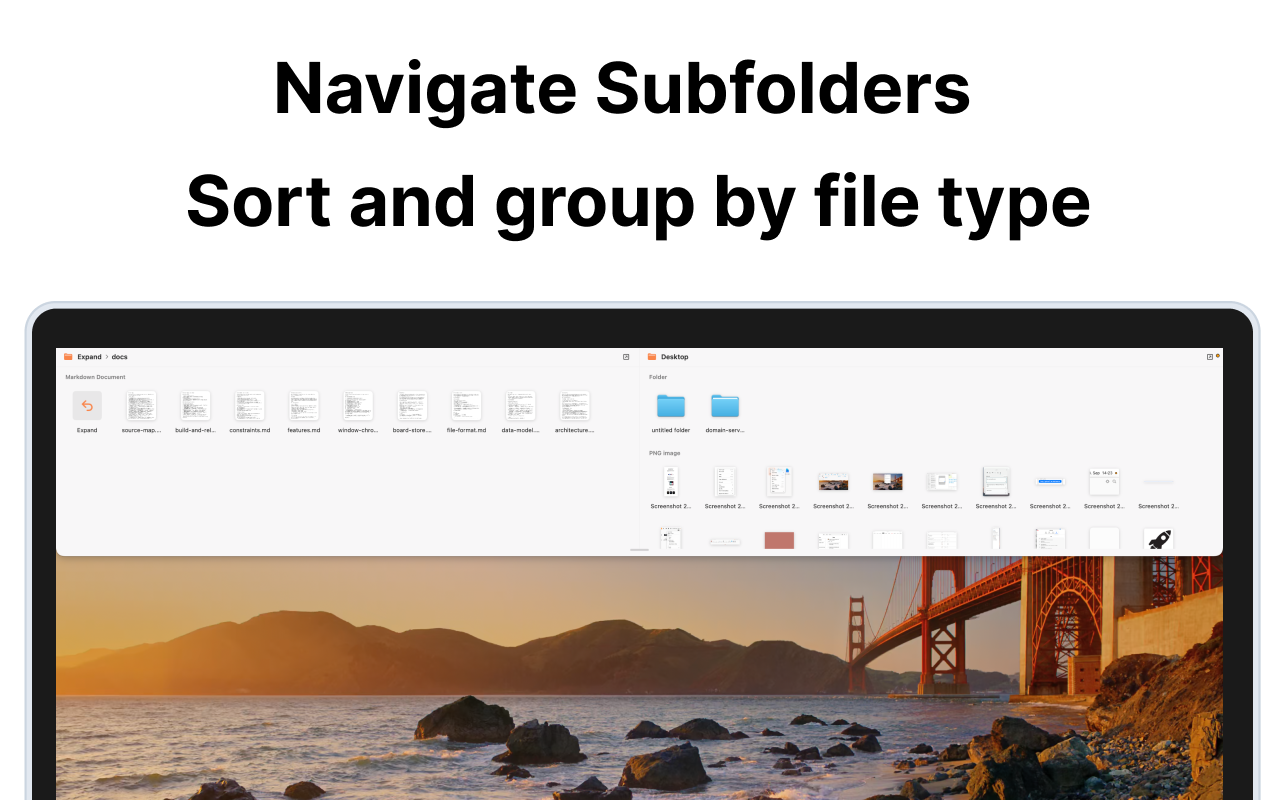
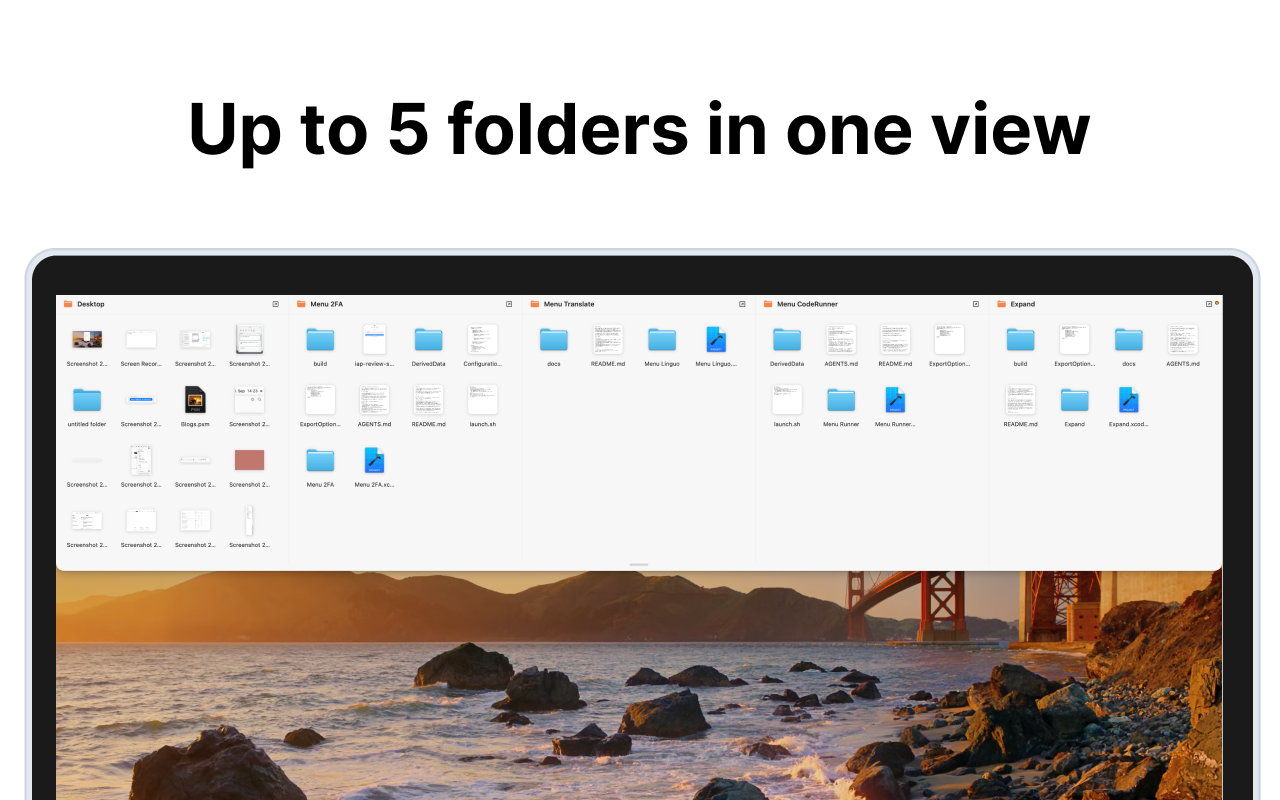
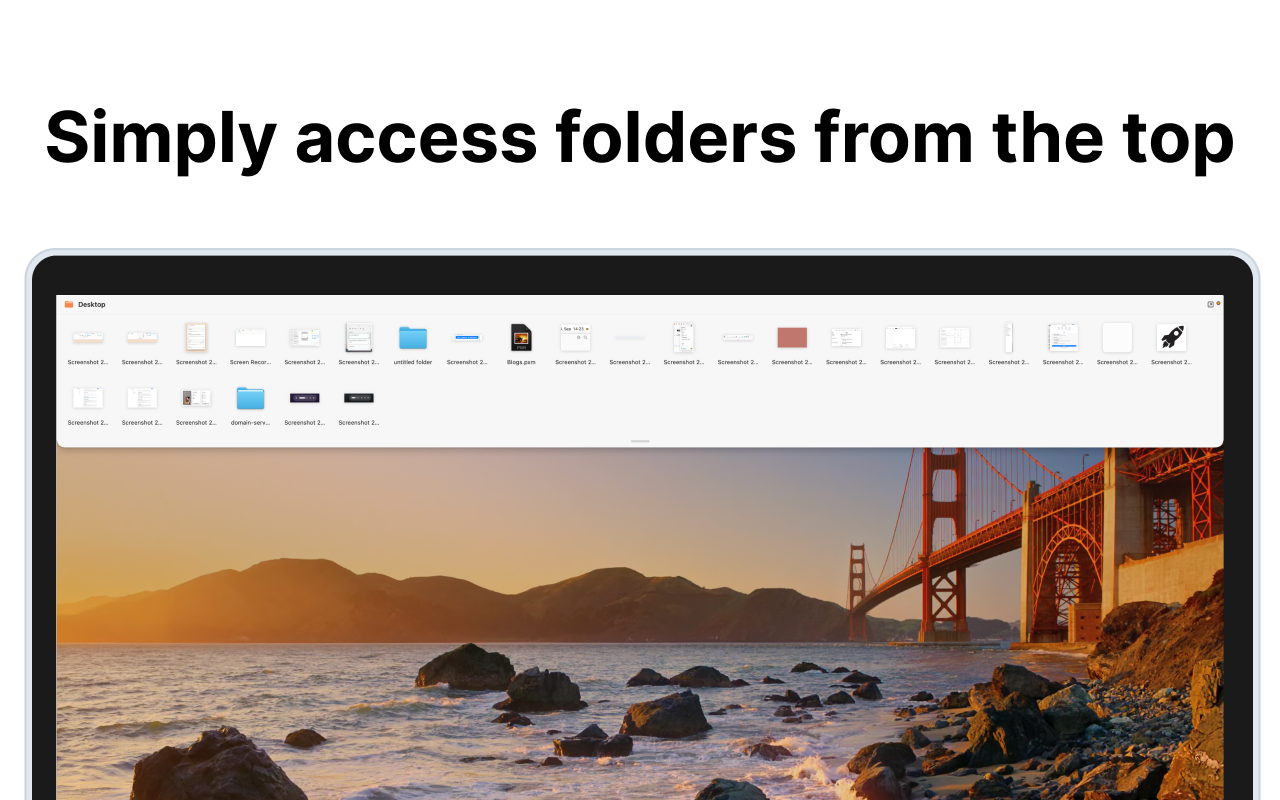
TopFold is a native macOS menu bar app with no Dock icon. It pins one to five real folders to the top edge of your screen and makes them usable like a Finder window, without opening Finder.
Move the pointer to the top and scroll down to open the overlay. It spans the full screen width, grows with its content, and stops at about 42 percent of the screen. Each folder gets its own column of equal width. These are real Finder folders through security-scoped bookmarks, not a separate file format, and a folder watcher keeps changes in sync live.
Files you drag in or out are always moved, the way Finder does it. A drop is never a copy. Dragging a file to the top edge opens the overlay and drops it into the folder under the pointer. Scrolling up at the top edge closes it again, as does a click outside, and Escape closes Quick Look first and the fold second.
Made for
Build in
Up to five folders
One to five real folders side by side, one column each, at equal width.
Real Finder folders
Security-scoped bookmarks point at your folders. There is no separate file format.
Live folder watcher
Changes in the file system show up in the fold right away.
Move, never copy
Files dragged in or out are moved, the way Finder does it.
Scroll to open
Pointer at the top plus scroll down opens the fold; scroll up at the top edge closes it.
Optional hover
Open on hover at the top edge, with a delay you set yourself.
Drop at the top edge
Dragging a file up opens the fold and drops it into the folder under the pointer.
Finder-like keys
Arrows to move the selection, Space for Quick Look, Return to rename inline, ⌘↓ to open, ⌘⌫ to trash.
Quick Look thumbnails
An icon grid with real Quick Look thumbnails, optionally grouped by file kind.
Sorting and hidden files
Sort by name, kind, opened, added, changed, created, size, or tags; show hidden files when you need them.
File context menu
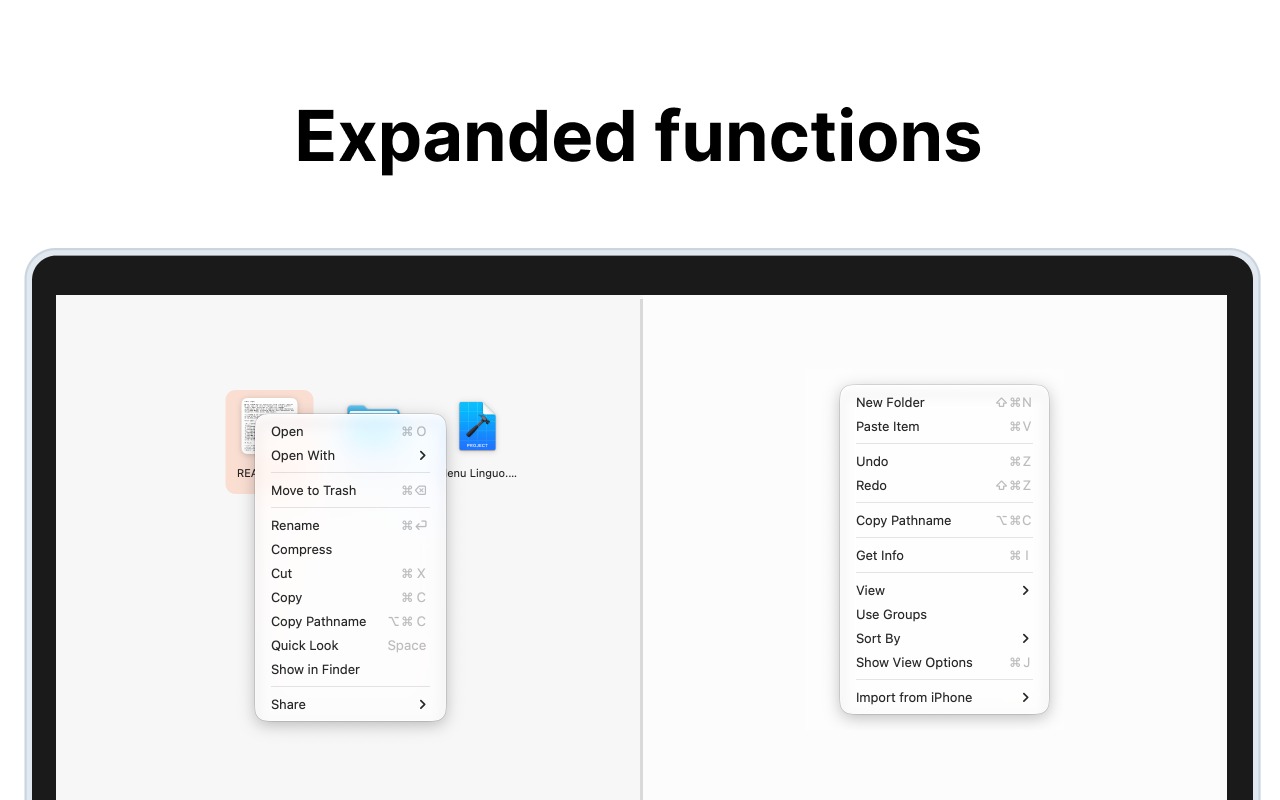
Open, Open With, Trash, Rename, Compress, Cut and Copy, Copy Pathname, Quick Look, Show in Finder, Share, Services.
Menu bar and Spaces
Pin or close from the menu bar icon, works across Spaces, starts at login if you want.